Article: Opt-Out Email Messages content
ACEMAPP is an online web application that uses email notifications to keep you informed about your account — including updates on rotations, requirements, and changes to your member status.
If you are receiving unnecessary emails, follow the steps below to opt out of specific messages.
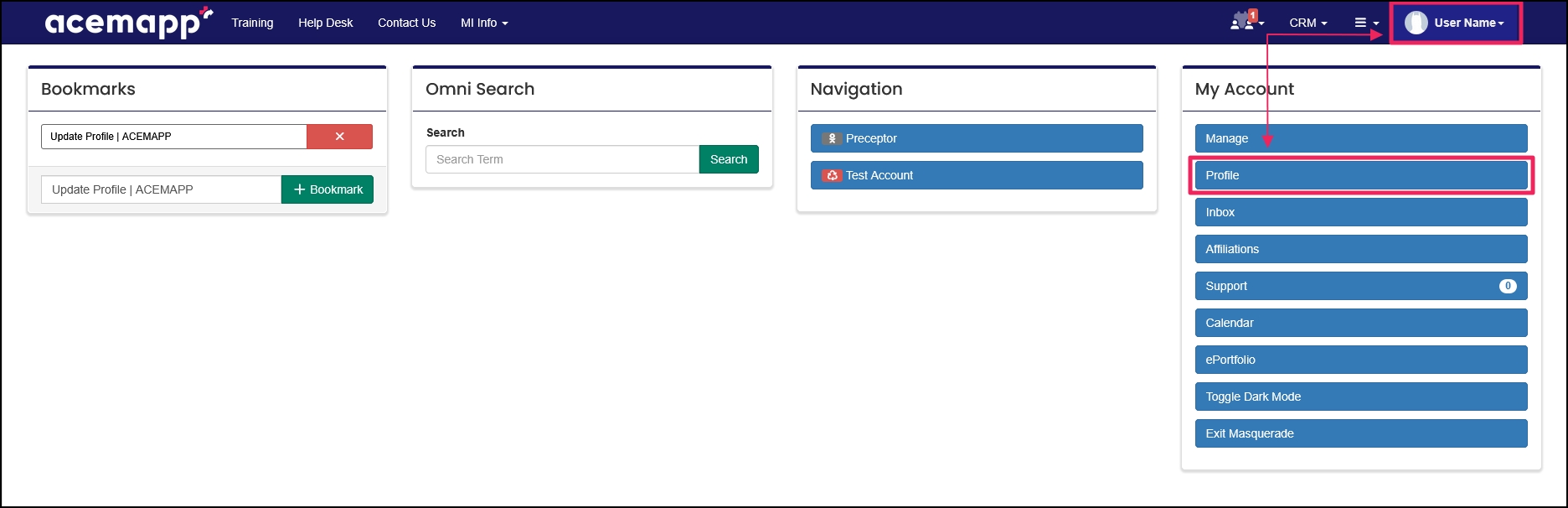
###Step 1: Access Your Profile Click on your "Name" in the upper right and select "Profile" from the drop-down menu.
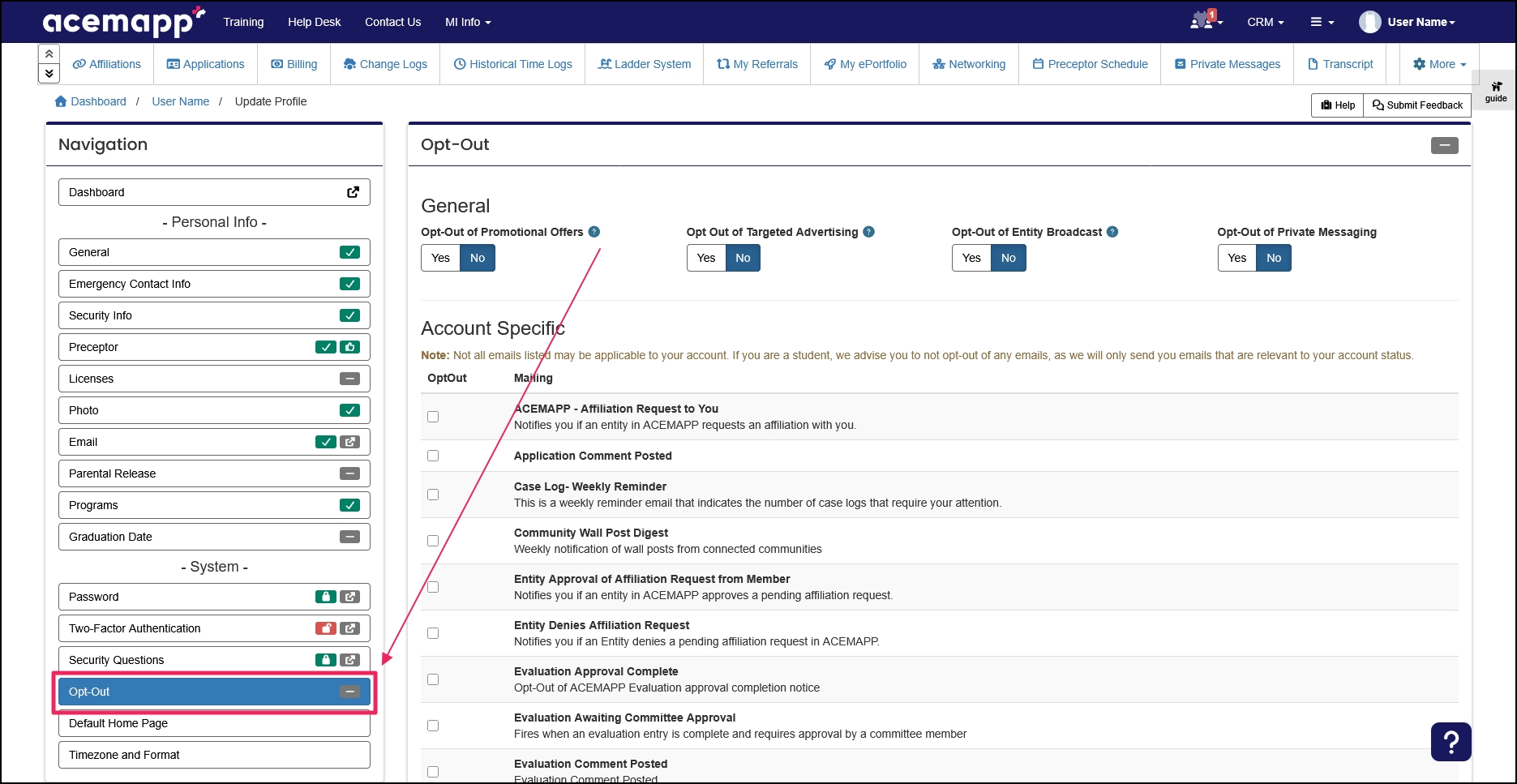
###Step 2: Open the Opt-Out Settings In the Navigation panel, click "Opt-Out" to open the Opt-Out page.
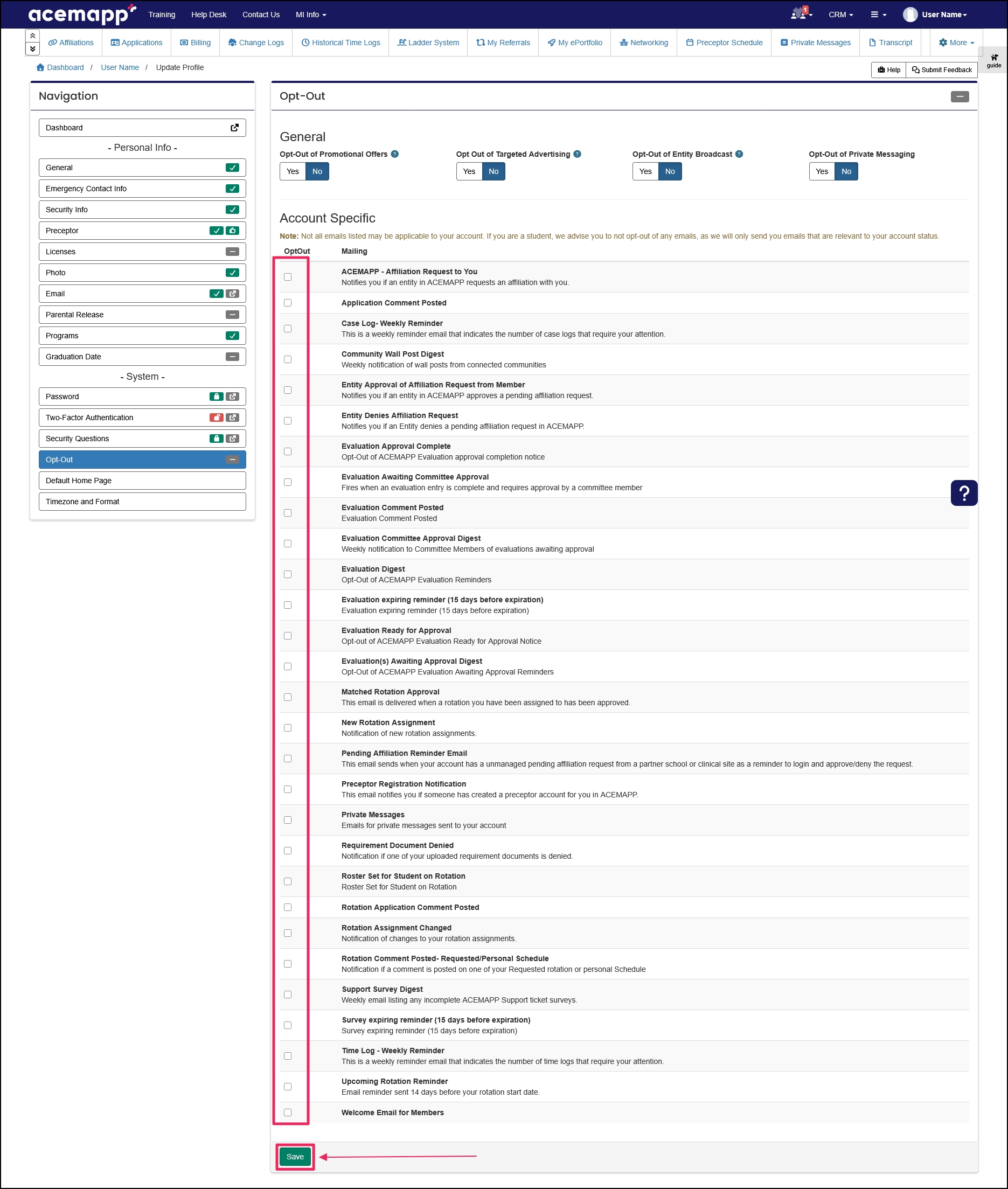
###Step 3: Select Emails to Opt Out Of
Select the emails you no longer wish to receive by clicking the "Checkbox" next to the description.
Once done, click "Save" to save your changes.
NOTE: This page lists possible notifications ACEMAPP may send. Depending on your account type and activity, not all message types will apply to you.
A request made by a member for a rotation opportunity or to affiliate with an entity.
A requirement is an item a member may need to complete based on their affiliation to an entity or rotation assignment.
A rotation is a scheduled clinical experience.
The Profile allows you to enter and edit personal information in ACEMAPP.
