Article: Vendor Issue Tracker - Vendor Admin content
The Vendor Admins Issue Tracker allows two-way communication between ACEMAPP specialists and you, the Vendor.
Step 1: Access the Issues Page
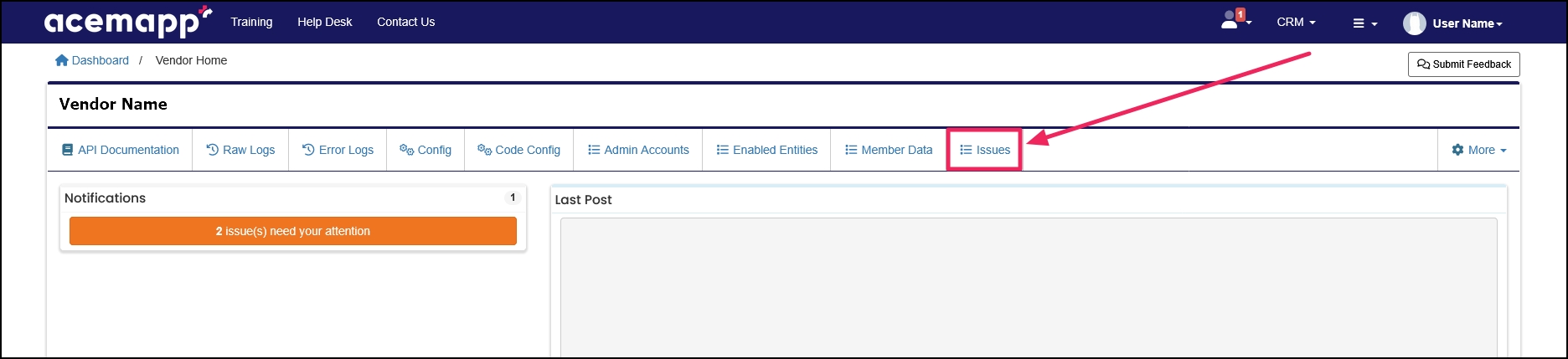
From your Vendor Home page, click the "Issues" button.
Step 2: Navigate and View Issues
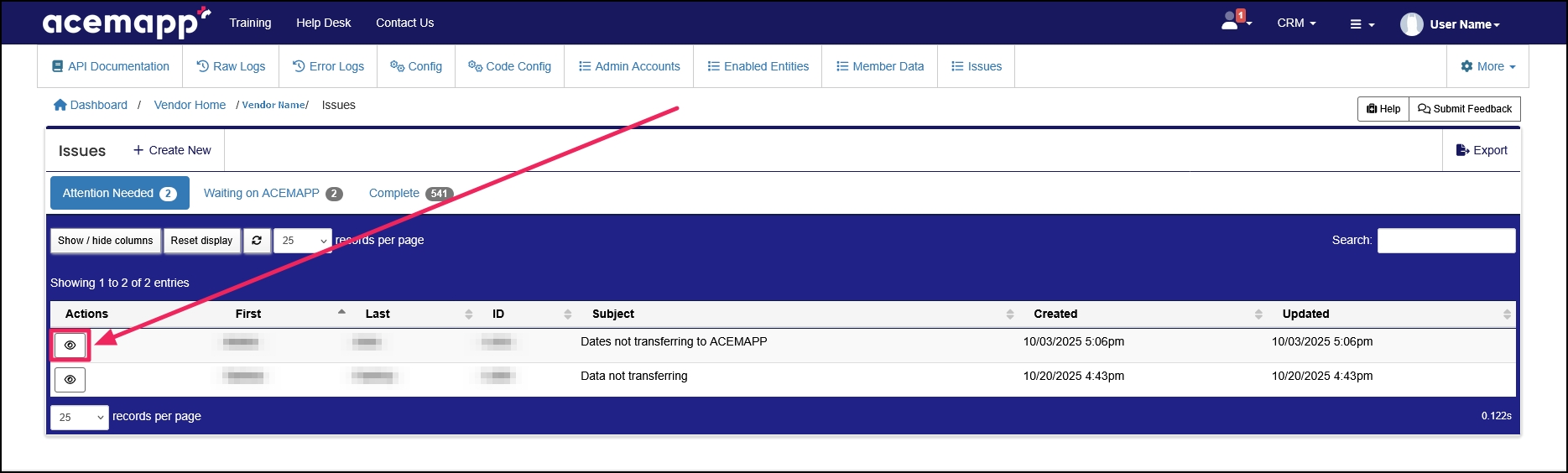
The Issues table allows you to sort, search, or export.
To view an Issue, click the "View" (eye) button.
The Issues Screen Overview
The Issues Screen provides a description of the issue, an area for Communications between you and the ACEMAPP team, a list of Requirement Data shared between your vendor and that member, and a way for you to Manage those dates if data does not transfer into ACEMAPP.
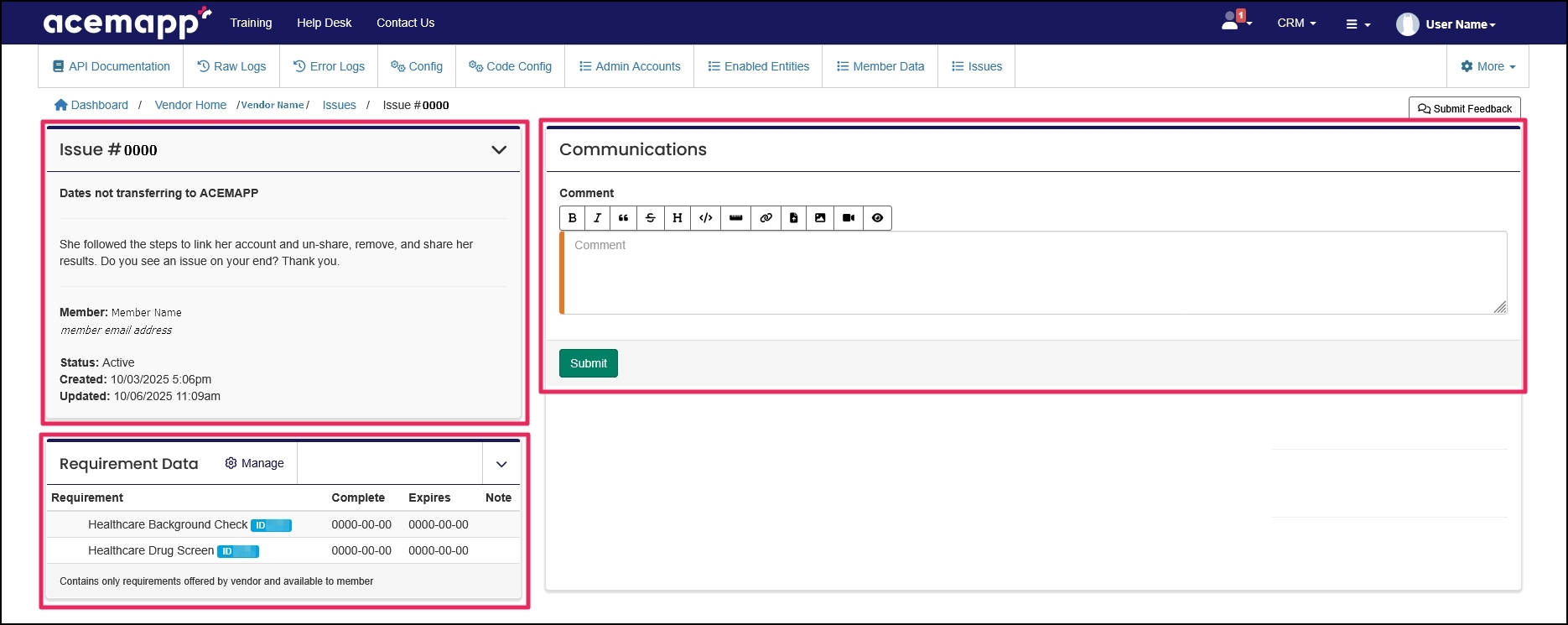
The top-left panel provides the following information in relation to the issue:
- Issue Title
- Issue Description
- Member name that the issue is affecting
- Member's email address(es) saved in ACEMAPP
- Issue Status
- Date/Time Created
- Date Time Last Updated
The top-right panel provides an area for Communications with the ACEMAPP team.
The lower-left panel titled Requirement Data lists all requirements currently mapped between you and the member.
Step 3: Manage a Requirement for a Member
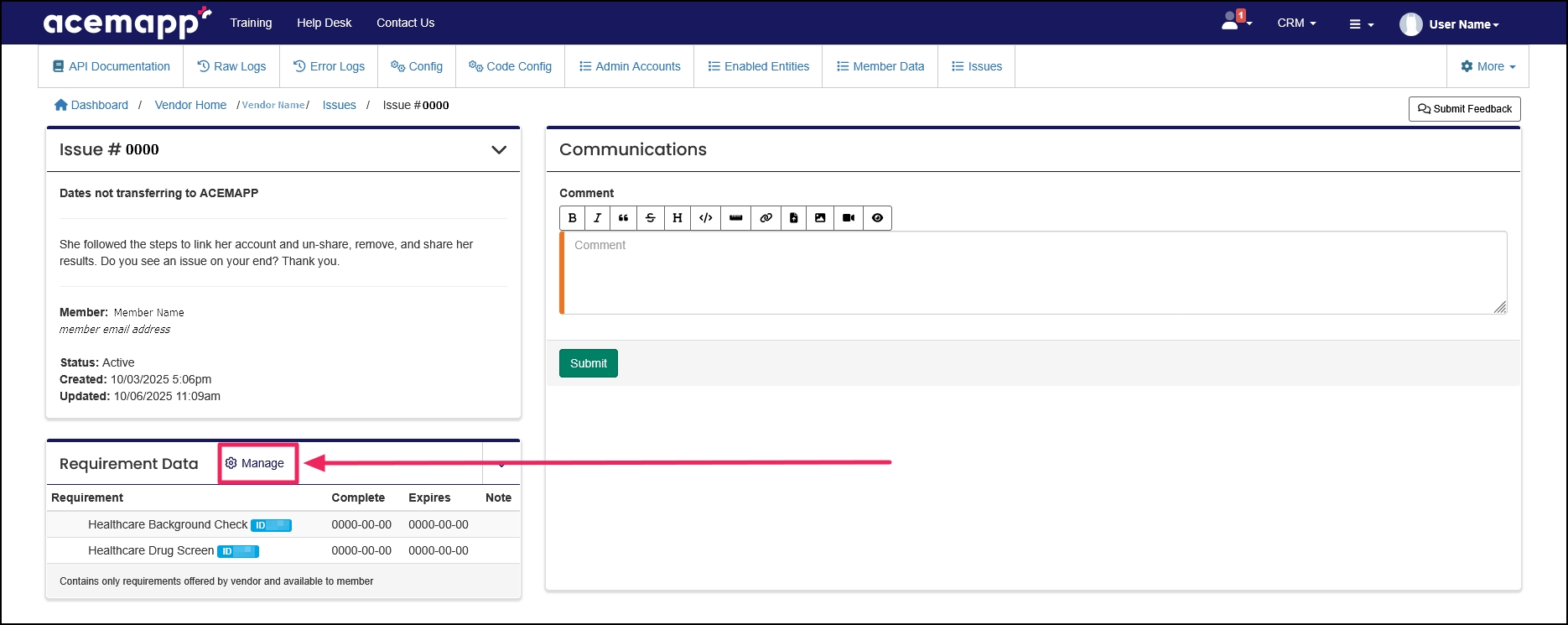
From the Requirement Data panel on the Issue Tracker page, click the "Manage" button.
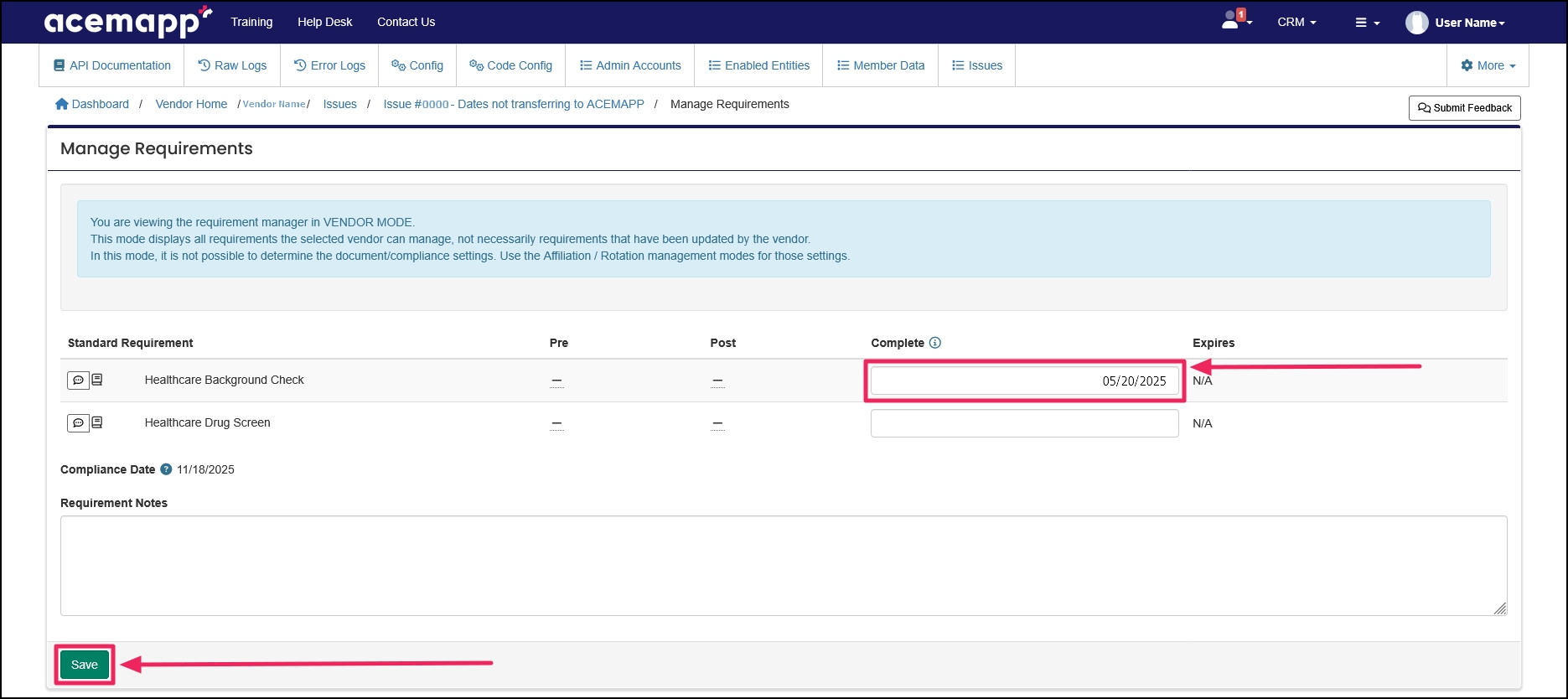
The Manage Requirements Page
This page displays all requirements you can manage, not necessarily those you have updated. On this page, you can update the completion dates of requirements for members.
Enter the completion date (for vaccines, enter the date the vaccine was given, not the completion of the requirement), and enter an expiration date if necessary. Click the "Save" button to save changes.
A requirement is an item a member may need to complete based on their affiliation to an entity or rotation assignment.
A requirement is an item a member may need to complete based on their affiliation to an entity or rotation assignment.
A requirement is an item a member may need to complete based on their affiliation to an entity or rotation assignment.
A requirement is an item a member may need to complete based on their affiliation to an entity or rotation assignment.
A requirement is an item a member may need to complete based on their affiliation to an entity or rotation assignment.
A requirement is an item a member may need to complete based on their affiliation to an entity or rotation assignment.
A requirement is an item a member may need to complete based on their affiliation to an entity or rotation assignment.
