Article: Member Rotation Requirement Report content
The Member Rotation Requirement Report provides visibility into rotation-based requirement compliance for members. This report allows administrators to review requirement items by category, identify what is available or affecting compliance, and export results as needed.
Step 1: Access the Reporting Dashboard
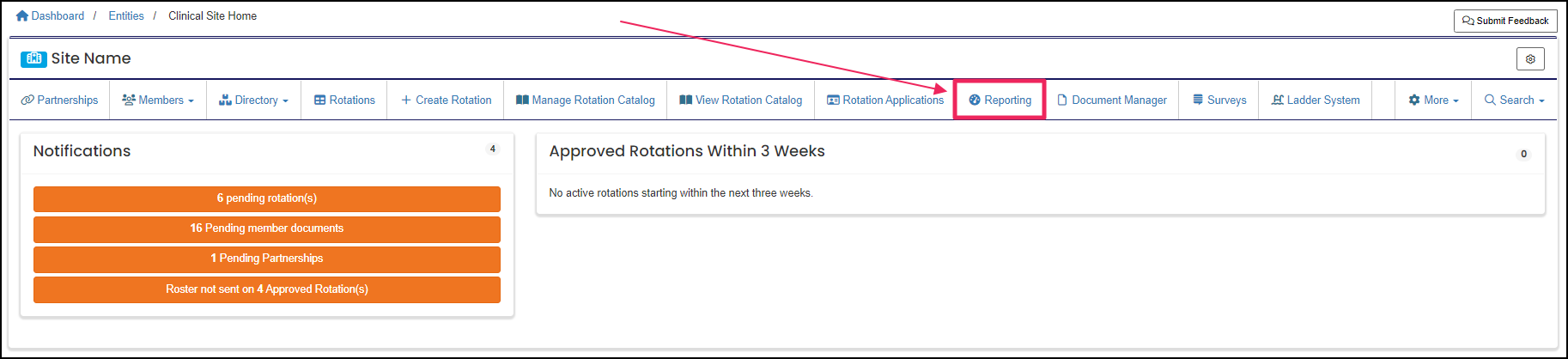
From your Home page, select the "Reporting" button on your navigation bar to open the "Reporting Dashboard."
NOTE: If you do not see the Reporting button, click the "More" tab on the navigation bar, and from the drop-down, click on "Reporting."
Step 2: Select the Member Rotation Requirement Report
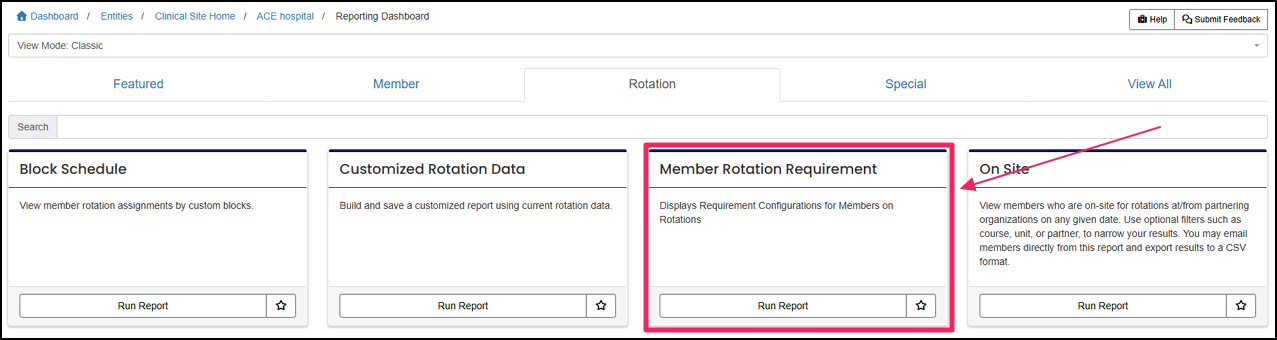
Click on the "Member Rotation Requirement" tile.
Step 3: Configure Report Filters
Enter information into the required fields and the Unit field if desired. After all fields have been selected, click "Submit."

Step 4: Review and Export Results
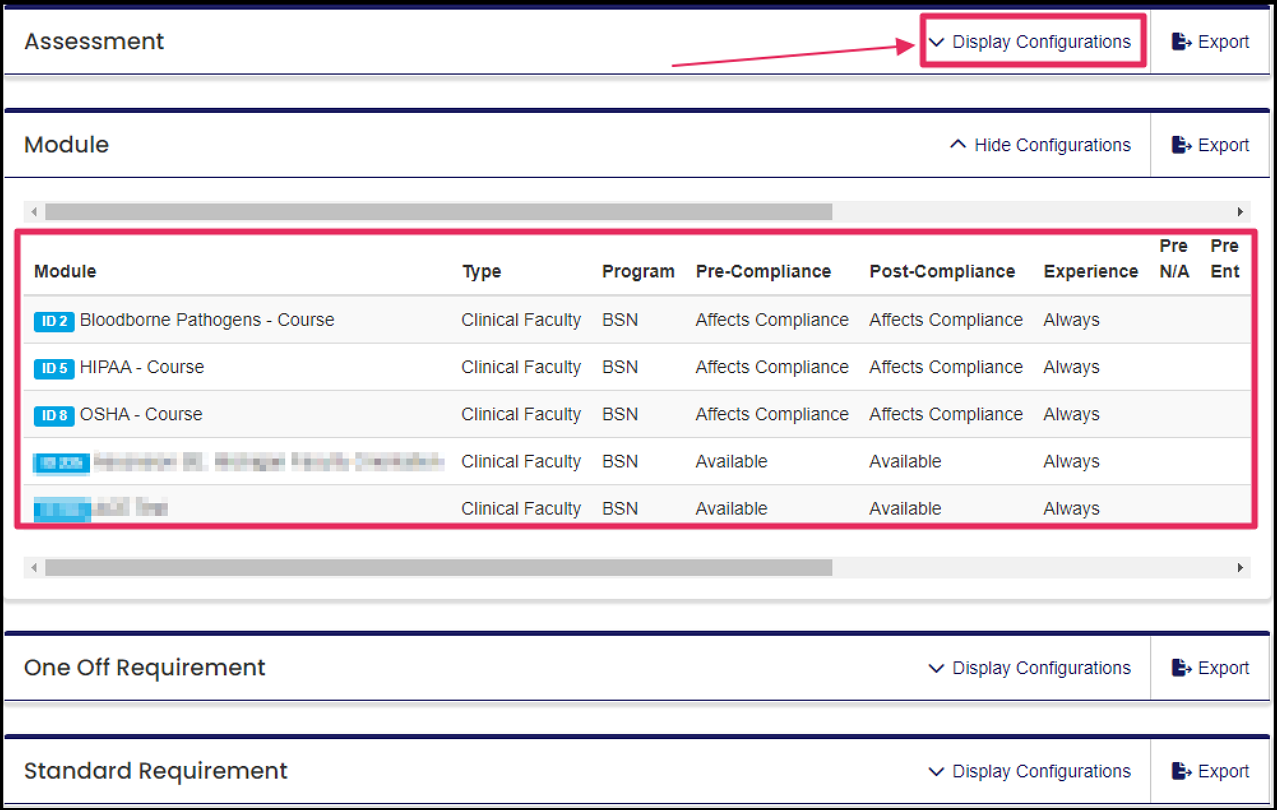
The results of the report will be separated into separate categories of requirement items. To expand a section, click the "Display Configurations" button. Each item will be displayed in a table that displays what items are either Available or Affecting Compliance.
Each section can be exported individually.
The completion of all required items in ACEMAPP.
A requirement is an item a member may need to complete based on their affiliation to an entity or rotation assignment.
A rotation is a scheduled clinical experience.
A requirement is an item a member may need to complete based on their affiliation to an entity or rotation assignment.
A rotation is a scheduled clinical experience.
A requirement is an item a member may need to complete based on their affiliation to an entity or rotation assignment.
A rotation is a scheduled clinical experience.
