Article: Navigate Between Dashboard and Member Home Pages content
You can access your member home pages from your central dashboard. Member home pages contain requirements, learning materials, custom fields, announcements, and information specific to your selected member type. You have a member home page for each member type (i.e., school, clinical, faculty, mentor, etc.).
###Navigate from the dashboard to member home pages
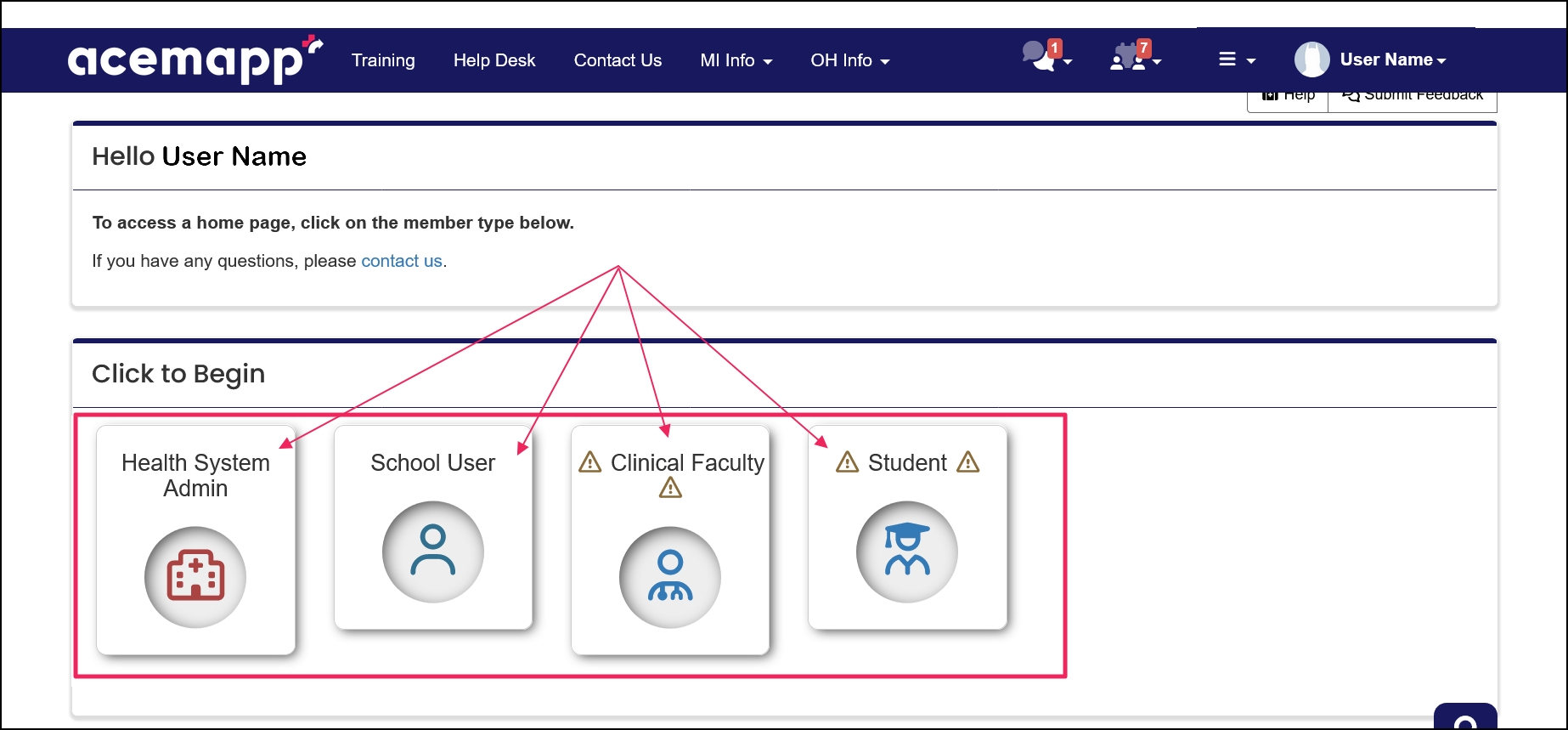
Click the icon from the options located on your dashboard.
NOTE: Only member types applicable to you will appear. You will only see the dashboard view if you have multiple member types applicable to you.
###Navigating Between Member Home Pages from your NAME drop-down
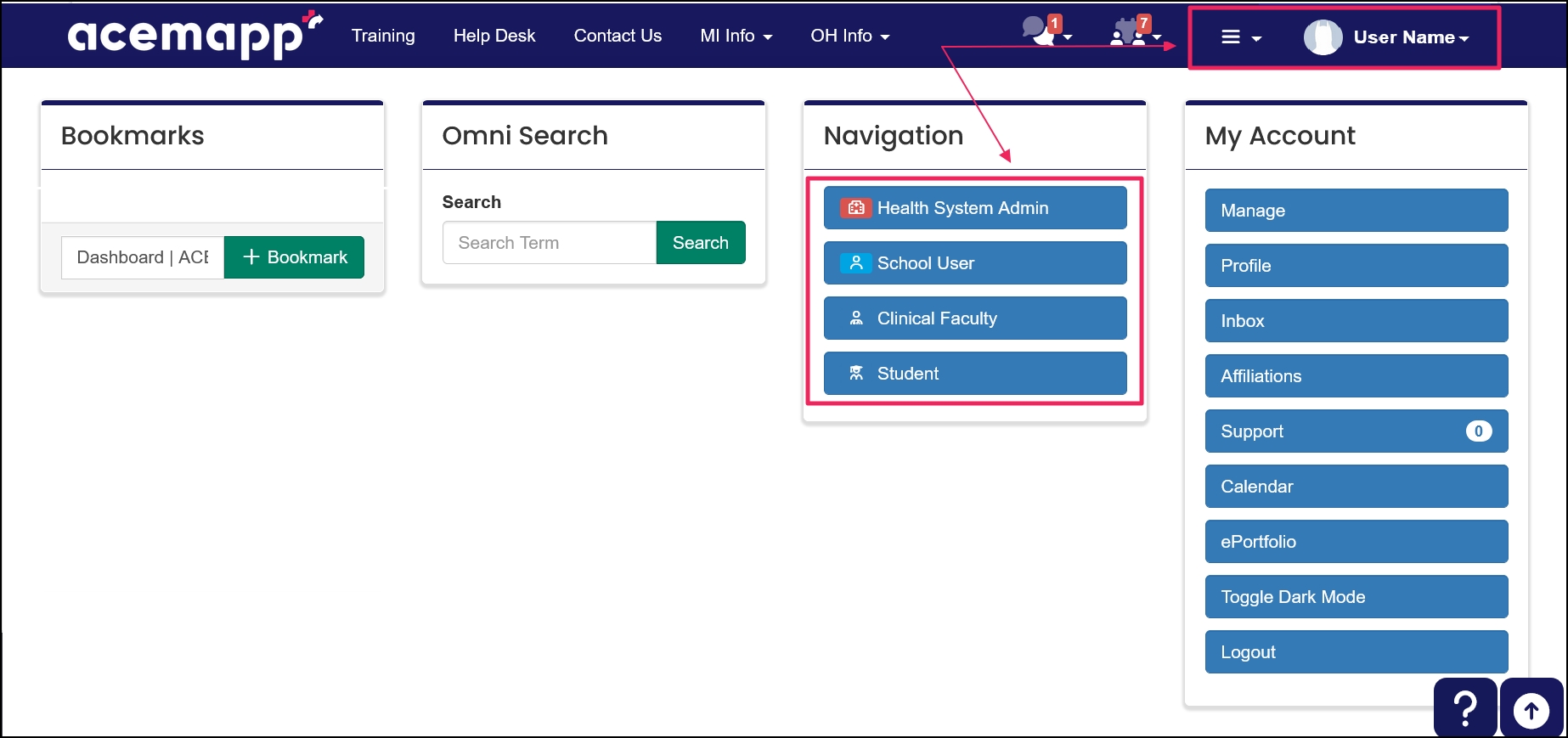
Click on your "Name", then from your Navigation table, select the member type you want to view.
###Navigate Between Your Dashboard & Member Home Pages
To return to your central dashboard, click "Dashboard" in the breadcrumb trail from any page.

You can also use the Dashboard View table in the upper left corner of your Dashboard or Member Home Page. Click the drop-down menu and select which Home Page you want to view.

NOTE: You can Manage your Default Home Page View by clicking the "Tool" icon in the Dashboard table.

A custom field is part of the profile displaying customized fields from an entity.
A course, module, or assessment.
A requirement is an item a member may need to complete based on their affiliation to an entity or rotation assignment.
