Article: Withdraw Approved Rotations content
This guide provides step-by-step instructions for withdrawing an approved rotation in ACEMAPP. Withdrawing a rotation frees the slot for other users and ensures scheduling accuracy for schools and clinical sites. Use this guide if you no longer need a rotation and must update its status to Withdrawn using either the standard edit method or the Quick Decide feature.
Step 1: Navigate to the Rotations Tab
From your School Home page, click the "Rotations" tab.

Step 2: Filter for Approved Rotations
Select your "Approved" rotations.

Step 3: Open the Rotation for Editing
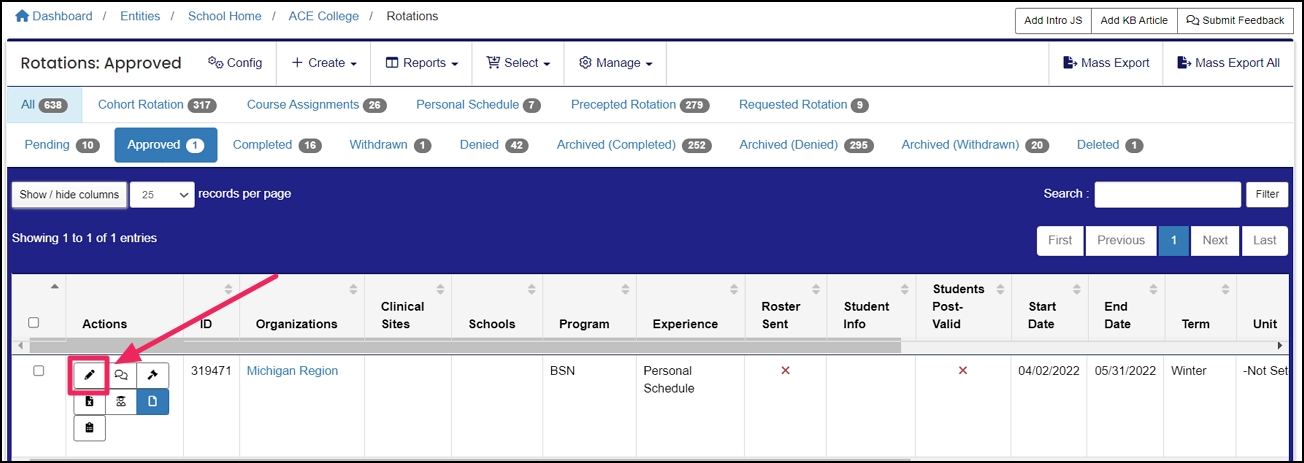
Locate the rotation you want to withdraw in the rotation table and click the "Edit" pencil icon under the Actions column.
Step 4: Change the Rotation Status to Withdrawn
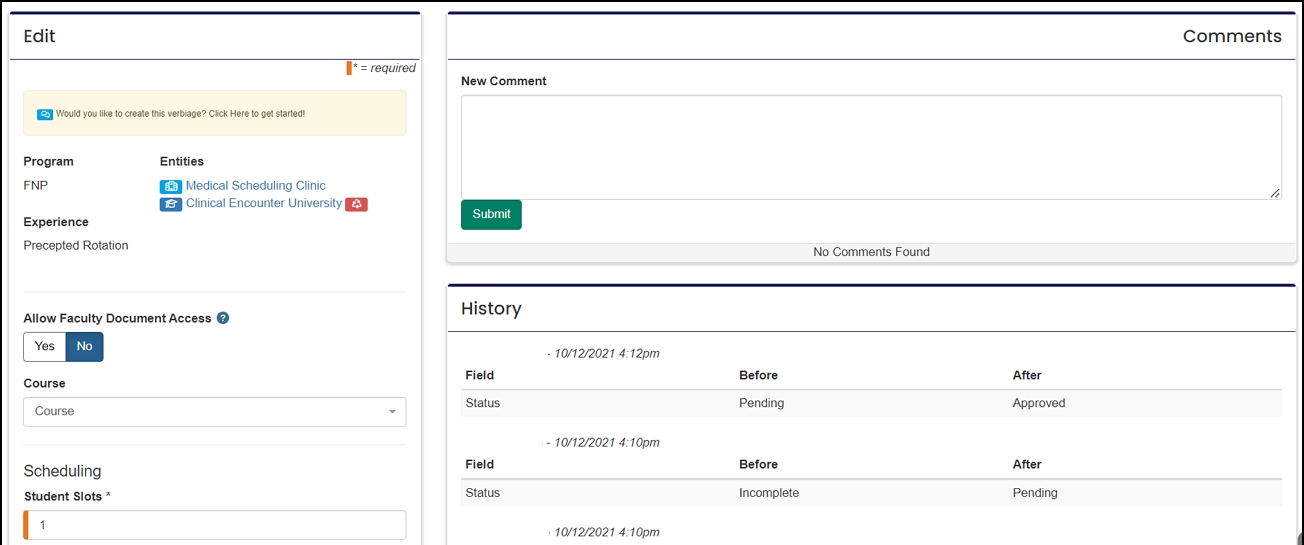
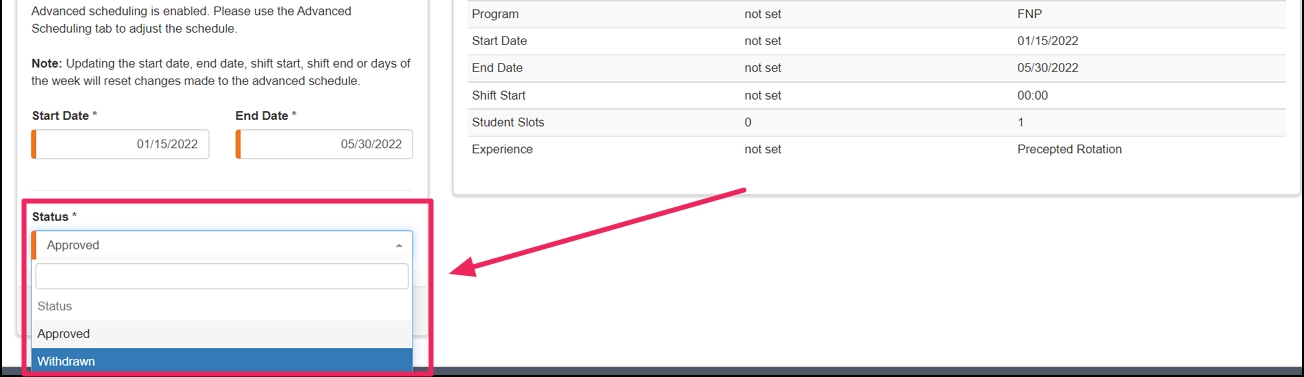
Set the Status to "Withdrawn".
Step 5: Provide a Withdraw Reason and Save
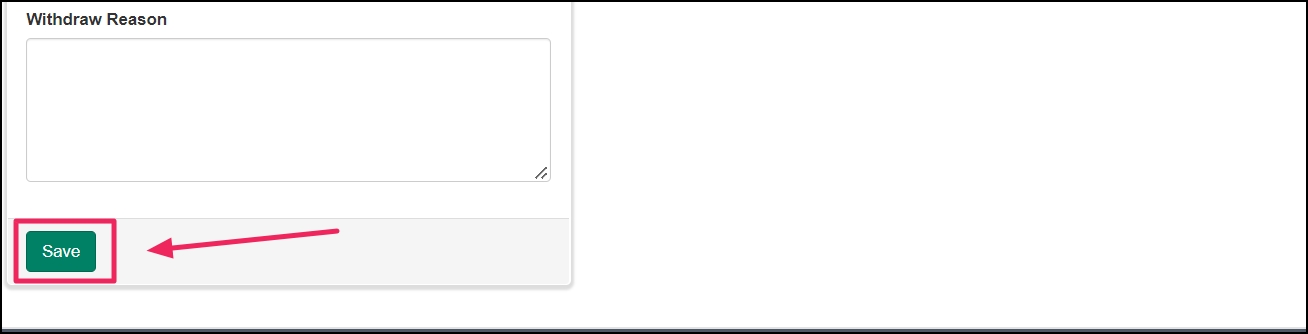
Please provide a Withdraw Reason and click "Save".
Quick Decide Method
Another way to Withdraw a rotation is to use the Quick Decide feature on the Rotations table.
Step 1. Open the Quick Decide Option
Click on the "Quick Decide" icon in the Actions column next to the rotation you want to Withdraw.
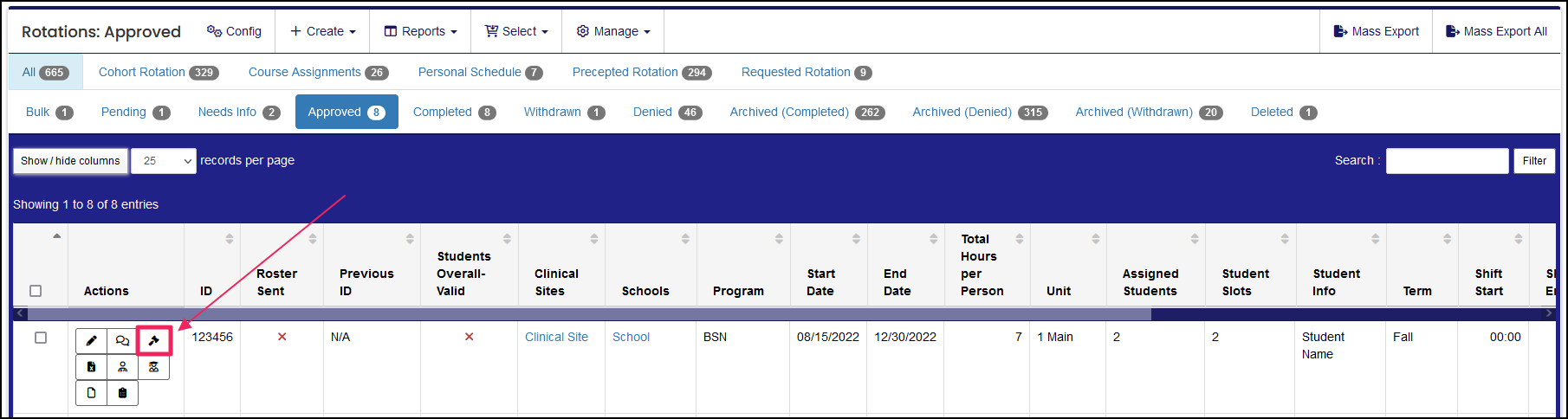
Step 2: Update Status to Withdrawn and Save
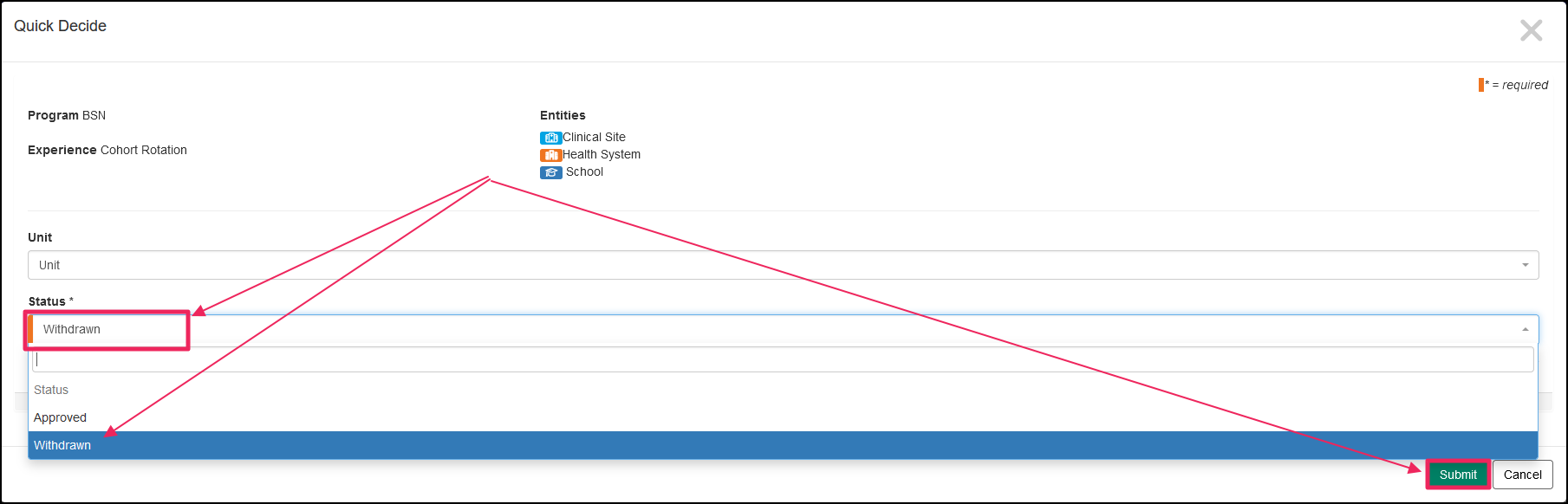
In the Quick Decide pop-up, update the Status to "Withdrawn" and click the green Save button.
Once saved, your rotation will be updated to "Withdrawn" in ACEMAPP.
A rotation is a scheduled clinical experience.
A rotation is a scheduled clinical experience.
A rotation is a scheduled clinical experience.
A rotation is a scheduled clinical experience.
A rotation is a scheduled clinical experience.
A rotation is a scheduled clinical experience.
A rotation is a scheduled clinical experience.
