Article: Check Evaluation Completion Status content
Faculty members can check the status of evaluations for members assigned to their rotations if their school or clinical site has enabled the Evaluations feature in ACEMAPP. This guide will walk you through the process of checking the evaluation status of your members.
Step 1: Access Your Rotations Table
To access your Rotations table, click the "Rotations" button located at the top of your Faculty Home page.

Step 2: Access Evaluations
In your Rotations table, find the rotation you want to view and click the blue "Evaluations" (Clipboard) Icon under the Actions column.
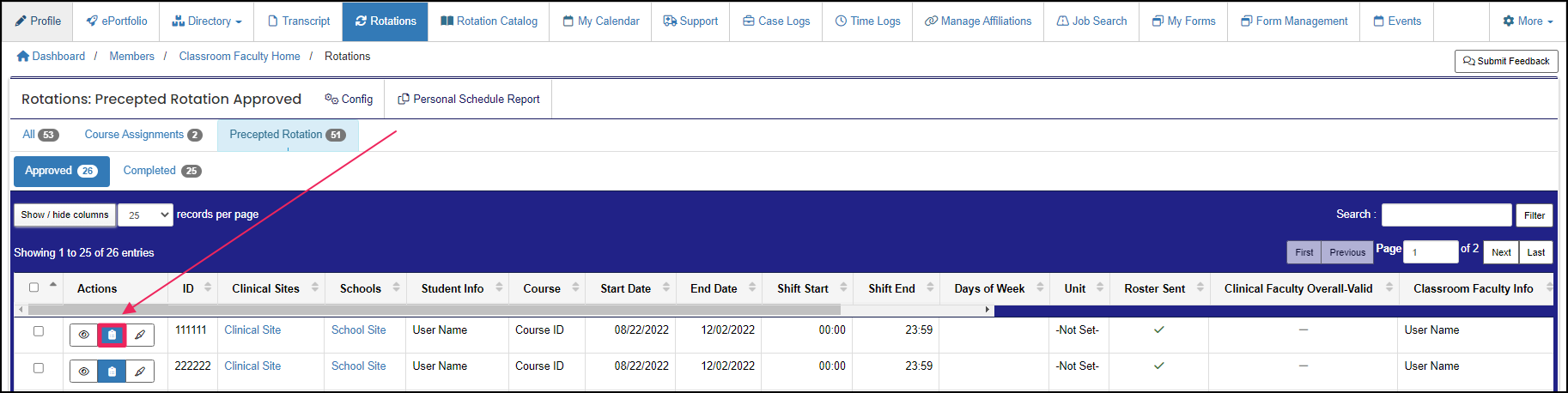
NOTE: If you do not see the Evaluations button, then the feature may not be enabled for your organization. You may contact your school coordinator directly for more information.
Step 3: View Attached Evaluations
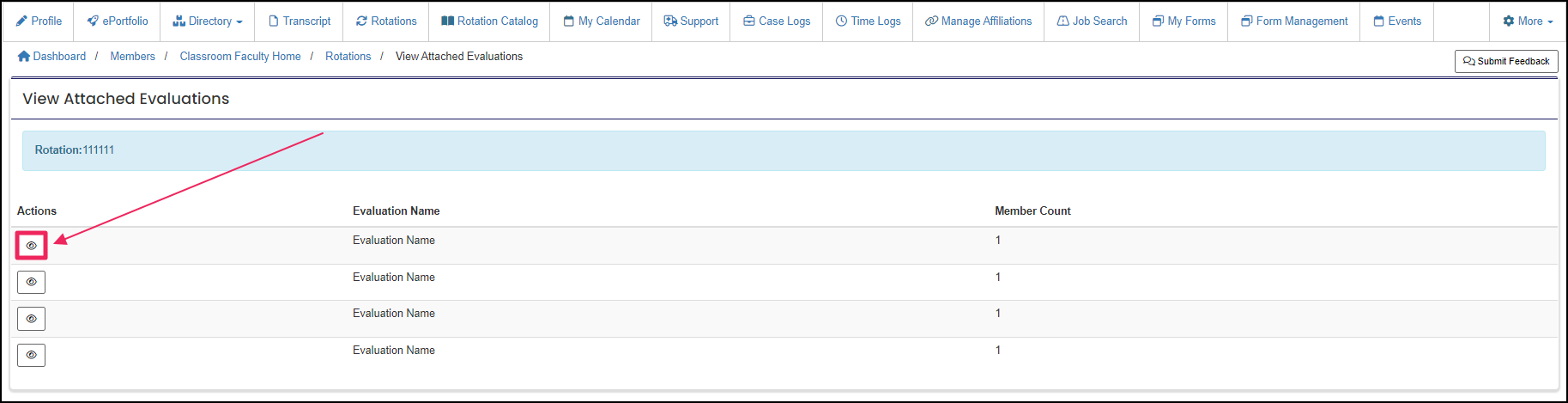
From the View Attached Evaluations page, find the evaluation you want to view and click the "View" (Eye) Icon. Rotations can have multiple evaluations.
Step 4: View Responding Members
This will take you to the Responding Members page, which will give you basic information on the evaluation, such as the member's name and the current status of their evaluation (response).

A rotation is a scheduled clinical experience.
A rotation is a scheduled clinical experience.
A rotation is a scheduled clinical experience.
A rotation is a scheduled clinical experience.
